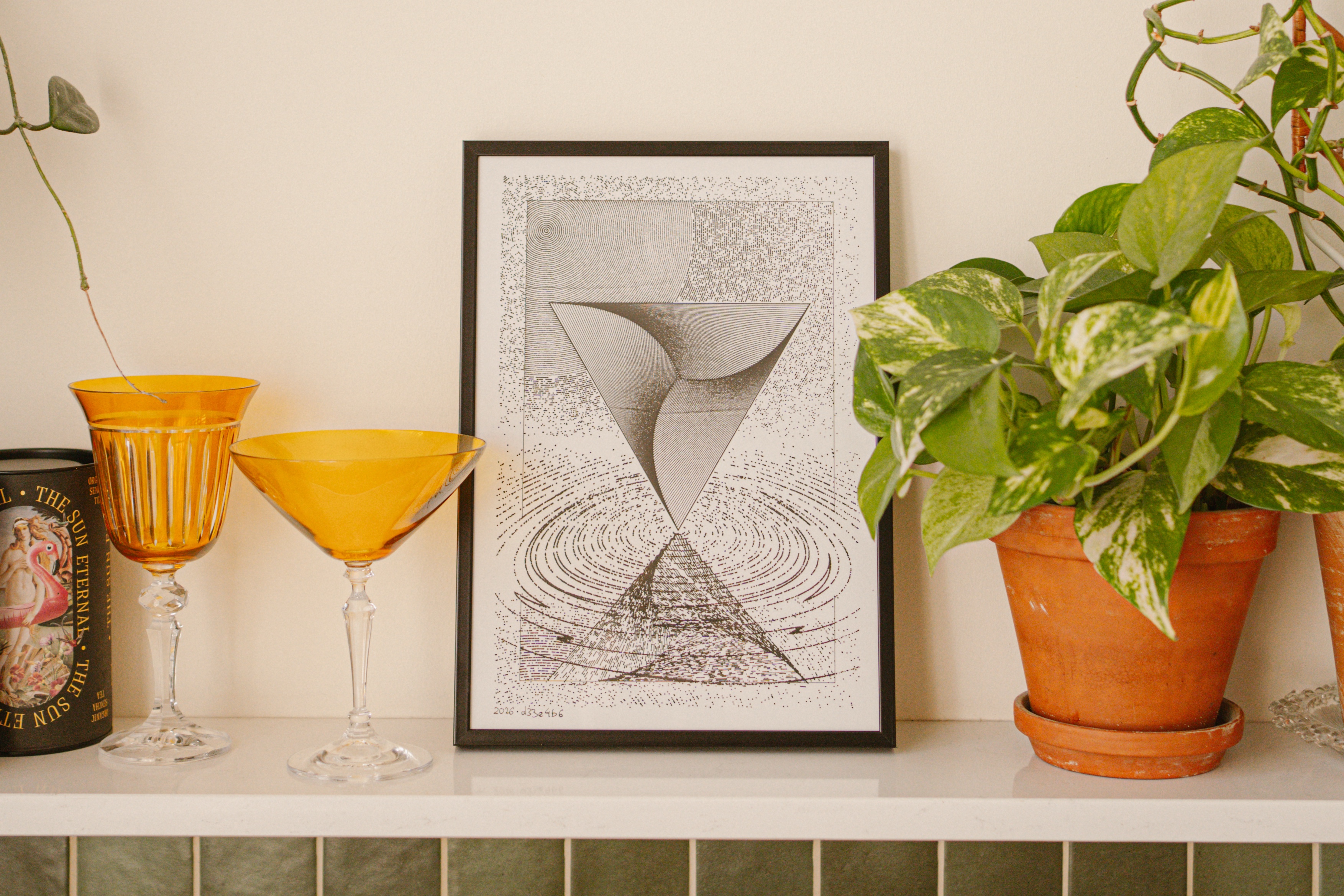
Photo by Kasia
Reflection — the way you see yourself.
All code. Drawn in Warsaw, Poland, using a black Uni Pin 0.4 fineliner on white 250 g/m2 A4 Bristol paper by a NextDraw A3 pen plotter. Almost two hours of plotting — lots of dots, in fact, 36604 strokes.
I want to sale my pen plotter in order to focus on making music. I decided to work on this old project idea as a kind of farewell to this big black bar of aluminium that’s been sitting on my desk as well as a goodbye to Construct, my pen plotter-oriented creative coding environment that I built in TypeScript and Vue.
Construct in particular is an aspect of this journey that fills me with pride. It’s a bespoke tool that provides a cohesive development experience. Text is not the best medium to convey this experience… but the list of Construct’s attributes and features is pretty cool in isolation too:
- projects consist of code and data
- data is used by code in arbitrary ways
- all code is written in TypeScript in your IDE of choice
- all data is managed in Construct, which runs in the browser, creates a preview, and saves plotting-optimized SVG to disk
- everything updates live as you save code
- everything updates live as you manipulate data
- data can be arbitrary and can be input via keyboard, adjusted with sliders, incremented/decremented with buttons
- more importantly, a datum can be a “disc” or a “polyline”, in which case it can be represented visually and manipulated directly: dragged, scaled, rotated on the canvas
- there are Blender-inspired keyboard shortcuts for that
- again, the image updates live as you drag things
- data supports expressions, e.g. to center an item horizontally, I can define
xasw/2in the UI (half of the width of the canvas, taking margins into account) - there’s full undo and redo of all data changes as I use immutable objects under the hood
- in fact, the whole app uses unidirectional data flow and I wrote some very fancy and type-safe stuff for that :sparkles:
- all data is saved to disk live (as JSON)
- it’s also streamed (using WebSockets) to other browser windows that have the same project open (I almost never use this feature but it was fun and quick to implement in Bun and my existing architecture)
- data is also made available live to the IDE: there’s code completion with type information for things you’ve just added in the UI
- projects support multiple configs as a first class concern: same code, different data that drives it
- there’s a viewer and a triage workflow for picking random seeds that look best
- final SVG includes metadata about pens
- paths using the same pen are grouped together on the same plotting layer
- there are features for margins, paper sizes, colors, visual guides, etc.
- sketches are generator-based (in the JavaScript sense), which makes it easy to visualize and debug the behaviour of algorithms over time, for example the placement of points in the Poisson disk distribution
- there’s even a crude plotting animation that I use to adjust the order and direction of strokes to optimize plotting time and the look of timelapses
- all of this took me 90–180 evenings over almost two years and, excluding sketches, is a little less than six thousand lines of hand-crafted code… which might be less than the amount of probabilistic output you’re tagged to code-review on GitHub at your day job on any given day…
Reflection — the way you see yourself.